Vanilla Linux Doom on modern-ish Linux
There is a pervasive belief that binary compatibility on Linux is terrible. While there are a lot of truths around that, there is a lot of nuance that gets lost as people try to fold a multifaceted problem down to a single point of blame. Despite some fundamental flaws, it is actually quite likely that old Linux binaries can be made to run. It does often require knowledge that is somewhat hard to come by. Which to be clear is a problem in itself, but it is a solvable one if there was enough care. One of the major challenges is simply fighting the apathy that has built around the topic.
This article will look at what it takes to run the original Linux Doom binaries that were released in 1994. There's no particular reason to want to do this except the educational value. It'll be much more convenient to just run Chocolate Doom. (The Linux Doom source release, known as version 1.10, was tinkered with by Bernd Kreimeier prior to release. It is known to have many major regressions as a result which were corrected by Chocolate Doom.)
The a.out executable format
Perhaps ironically this article will look at running a binary which was intentionally broken. Before Linux switched to use the ELF binary format, it used a binary format known as "a.out". These days people known "a.out" as the default output name when compiling C or C++ code, which leads to confusion since those are actually ELF files. The Linux kernel supported loading a.out binaries until 5.19 where it was removed. Given Linux Doom predates ELF, this sets an upper bound on our Linux distro choice.
However, unless you want to compile the kernel yourself, the reality is that distros were disabling it long before it was officially removed. Doing some exploring it seems that around kernel 5.0 was when distros that had it enabled started disabling it. Additionally it seems it was often disabled in x86-64 kernels long before. It would seem the best choices for this exercise, where we're trying to use as new of a distro as possible is Ubuntu 18.10 (Debian 9 or Ubuntu 18.04 LTS should also be possible).
As an aside: it is likely possible to build a user space binary loader for a.out binaries. It seems a proof of concept of such a program was posted to the kernel mailing lists during the discussions on removing support. This doesn't support the exact type of a.out binary that Linux Doom is. One might also guess that qemu-user could load the binary, but looking at the source code it seems only support for loading ELF binaries has been implemented at this time. Which to be fair, there probably aren't a whole lot of a.out binaries out there that people want to run.
Installing Ubuntu 18.10
As covered the x86-64 kernels appear to have a.out disabled, so we will need to install a 32-bit system. Given Ubuntu dropped official 32-bit support for 18.10 this poses a small additional challenge of just installing the system. They did provide a net install ISO which can be used to install on a 32-bit machine. Given that 18.10 has long gone end of life, when it get to the point where you need to select a mirror region, scroll to the top and there will be an option to input a mirror manually. Simply plug in "old-releases.ubuntu.com" as the mirror domain name and the install should complete, albeit slowly.
Once installed, the kernel needs to be downgraded to the 4.18.0-20 build as for whatever reason support for a.out was disabled in the 4.18.0-25 build that it will install by default. You can verify this by looking in the config file in /boot for the respective kernel. For /boot/config-4.18.0-20-generic you will find that "CONFIG_HAVE_AOUT=y" and "CONFIG_BINFMT_AOUT=m". The latter was changed to being unset in the 25 build, and the default value for it is no.
sudo apt install linux-image-4.18.0-20-generic linux-modules-4.18.0-20-generic linux-modules-extra-4.18.0-20-generic
Reboot and before the kernel loads press escape to bring up the GRUB menu. You can boot the now installed older kernel from the advanced options menu. Once booted the 25 kernel can be removed to avoid needing to repeat that process
sudo apt remove linux-image-4.18.0-25-generic
Installing the prerequisites
Doom does not have any dependencies beyond what would be excluded from an AppImage, but the fact that it's a dynamically linked a.out binary once again presents a challenge. While a.out support has existed in the kernel, both Ubuntu and Debian have not been shipping the user space components for a.out in a very long time. That includes the dynamic linker/loader. In fact, we will need to scavenge the archives going all the way back to Ubuntu 5.10 "Breezy" and Debian 1.3 "Bo" to get prebuilt binaries. It is probably possible to build these things yourself, but it's more in the spirit of the challenge to run old dependencies as well.
- Dynamic Linker/Loader: ldso_1.9.11-15_i386.deb
- libc: libc4_4.6.27-15.deb
- X11: xcompat_3.1.2-4.deb
- svgalib (bonus): svgalib1_1.2.10-5.deb
Easiest thing to do is use "dpkg-deb" to extract these, but one could also unpack them manually. For the dynamic linker, libc, and svgalib it is enough to simply use ar and tar to extract the contents of the data tar. The X11 package is unfortunately in an old format deb. One would need to use something like dd to extract the second tarball.
mkdir oldlibs
dpkg-deb -x ldso_1.9.11-15_i386.deb oldlibs
dpkg-deb -x libc4_4.6.27-15.deb oldlibs
dpkg-deb -x xcompat_3.1.2-4.deb oldlibs
dpkg-deb -x svgalib1_1.2.10-5.deb oldlibs
We can now copy the prerequisites into the expected locations.
sudo cp oldlibs/lib/ld-linux.so.1.9.11 /lib/ld.so
sudo cp oldlibs/lib/libc.so.4.6.27 oldlibs/lib/libm.so.4.6.27 /lib/
sudo cp oldlibs/usr/X11R5/lib/libXt.so.3.1.0 oldlibs/usr/X11R5/lib/libX11.so.3.1.0 /lib/
sudo ln -s libc.so.4.6.27 /lib/libc.so.4
sudo ln -s libm.so.4.6.27 /lib/libm.so.4
sudo ln -s libXt.so.3.1.0 /lib/libXt.so.3
sudo ln -s libX11.so.3.1.0 /lib/libX11.so.3

sudo cp oldlibs/usr/lib/i486-linuxaout/libvga.so.1.2.10 /lib/
sudo ln -s libvga.so.1.2.10 /lib/libvga.so.1
Setting up sound
Like most old Linux games, Doom uses the Open Sound System (OSS). Modern Ubuntu at least (possibly most distros) has OSS support disabled in its kernel. OSS can be emulated in userspace, and typically this would be done with an LD_PRELOAD library such as padsp. Usually the catch is that the padsp wrapper program assumes the binary its executing is the host architecture, but old Linux games are usually 32-bit. In the case of Doom however, being in the a.out format means that we can't just LD_PRELOAD our ELF library.
Instead you will need to install osspd, which installs a service which emulates /dev/dsp.
sudo apt install osspd
sudo systemctl start osspd
There is an issue that osspd via libpulse will not find the user's PulseAudio server without some additional help. Whether or not this needs to be done will likely vary by distro as PulseAudio config and version will vary. For Ubuntu 18.10 we will populate our user's client.conf with the location to the PulseAudio socket.
echo "default-server = unix:/run/user/$UID/pulse/native" > ~/.config/pulse/client.conf
Running the binary
Now that we have a kernel with a.out support and all the user space components that we need. We need to load the kernel module for the a.out loader.
sudo modprobe binfmt_aout
Executing a.out binaries will also segfault when run as a normal user out of the box unless we lower mmap_min_addr to 0.
sudo sysctl -w vm.mmap_min_addr=0
The next challenge is that Doom requires the X server to be in 256 pseudocolor mode. We can use Xephyr to nest an X server and bridge to true color. Additionally Linux Doom doesn't instruct the X server to change the colormap itself, so you will need a window manager which supports setting the palette according to the selected window. One such example is twm but there may be better options. This setup is compatible with Xwayland.
sudo apt install xserver-xephyr twm
Links to the Linux Doom binaries can be found on Doomworld. Additionally you will need specifically the 1.8 versioned Doom or Doom 2 WAD files. You can find an easily accessible copy of the Doom Shareware WAD in the Sun or SGI Doom 1.8 downloads listed on the same page. Extract Linux Doom and place the WAD file in the directory you extracted it to.
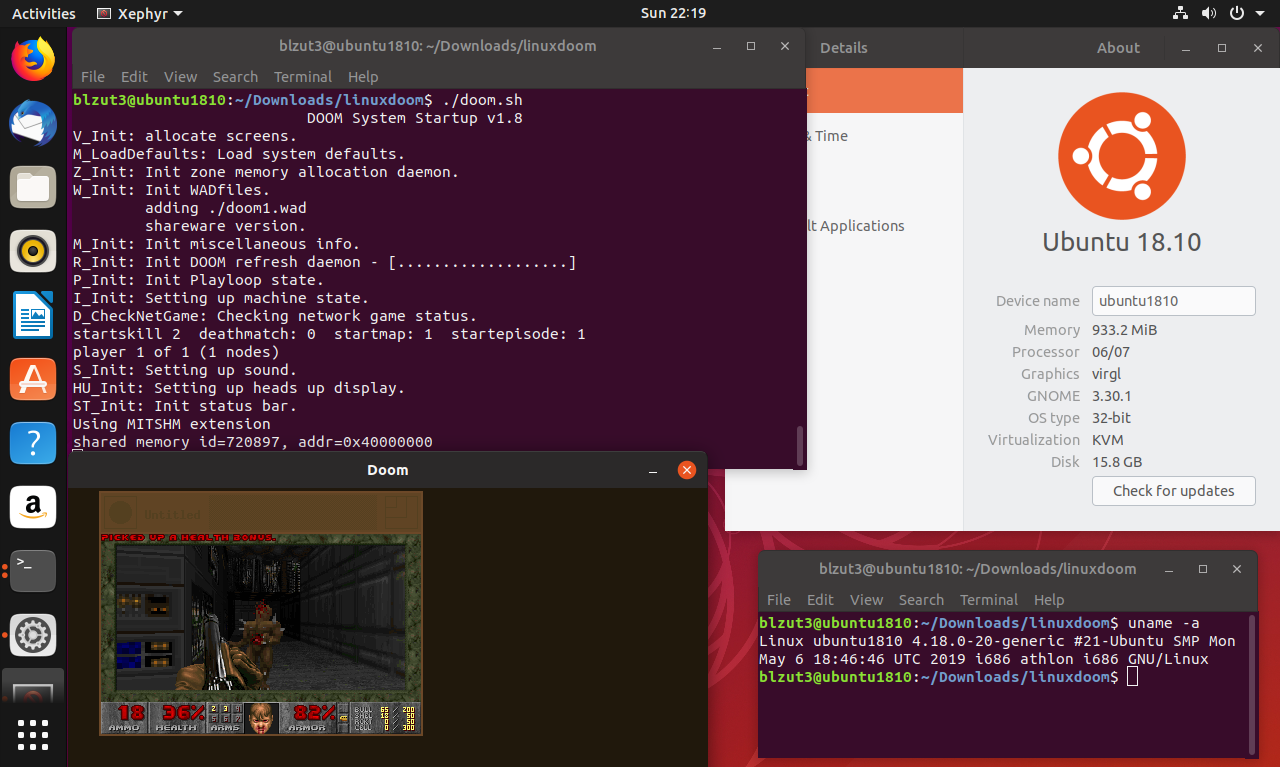
It should run after starting up Xephyr and twm. It expects to find "sndserver" on the PATH, so set that environment variable accordingly. (Linux Doom appears to lack support for music playback.) The following script "doom.sh" will coordinate everything:
#!/bin/bash

Xephyr :1 -ac -br -screen 640x480x8 -terminate -title Doom &
export DISPLAY=:1
until [[ -e /tmp/.X11-unix/X1 ]]; do sleep 0.5; done
twm &
WmPid=$!
PATH=. ./linuxxdoom "$@"
kill "$WmPid"
Run the script and twm will start the game minimized. Click on "Untitled" and you should see the game. Colors will be messed up until the mouse is hovered over the window. Likely fixable with a different window manager or something along those lines. There are -2, -3, and -4 options to scale up the window beyond 320x200.
Bonus: Running the svgalib binary
In addition to the X11 version, there is the "linuxsdoom" build that targets svgalib. This requires raw access to the VGA hardware from a virtual terminal so the first thing we'll want to do is disable booting directly into a graphical session.
sudo systemctl set-default multi-user.target
Next we need to tweak the kernel to allow better access to the hardware. Open /etc/default/grub and I would recommend removing "quiet splash" from the GRUB_CMDLINE_LINUX_DEFAULT line and adding "nomodeset". Update the grub config and then reboot. Using nomodeset may prevent your desktop environment from starting.
sudo update-grub2
Don't forget to reload the binfmt_aout module. The svgalib also has a bug where after mmap'ing the VGA frame buffer it checks that the returned pointer is not negative (i.e. within the first 2GB of address space). Modern kernels appear to prefer mapping into the upper 2GB, so this check fails and the game exits. (The actual error condition is when the address is "-1".) We can set a sysctl value to change the layout enough to satisfy the condition.
sudo sysctl -w vm.legacy_va_layout=1
It is likely that you will want to run Doom as root due to the direct hardware access. Between capabilities and file ACLs it would probably be possible to make it run without, but that's left as an exercise to the reader. (Although when /dev/mem access is required would it even really matter?) In the run as root case though, we get presented an additional challenge with PulseAudio being configured to block access to the socket outside of processes running as your user. This can be fixed in two ways, the first way is to simply make sndserver setuid to your user (will of course require the vm.mmap_min_addr tuning from before). The other is disabling that authentication. Open /etc/pulse/default.pa. Locate the line loading "module-native-protocol-unix" and add "auth-anonymous=1". You could also copy default.pa to your ~/.config/pulse directory if you wish to configure this only for your user.
load-module module-native-protocol-unix auth-anonymous=1
You will now need to make a client.conf file from before in root's home directory.
sudo mkdir -p /root/.config/pulse
sudo cp ~/.config/pulse/client.conf /root/.config/pulse/client.conf
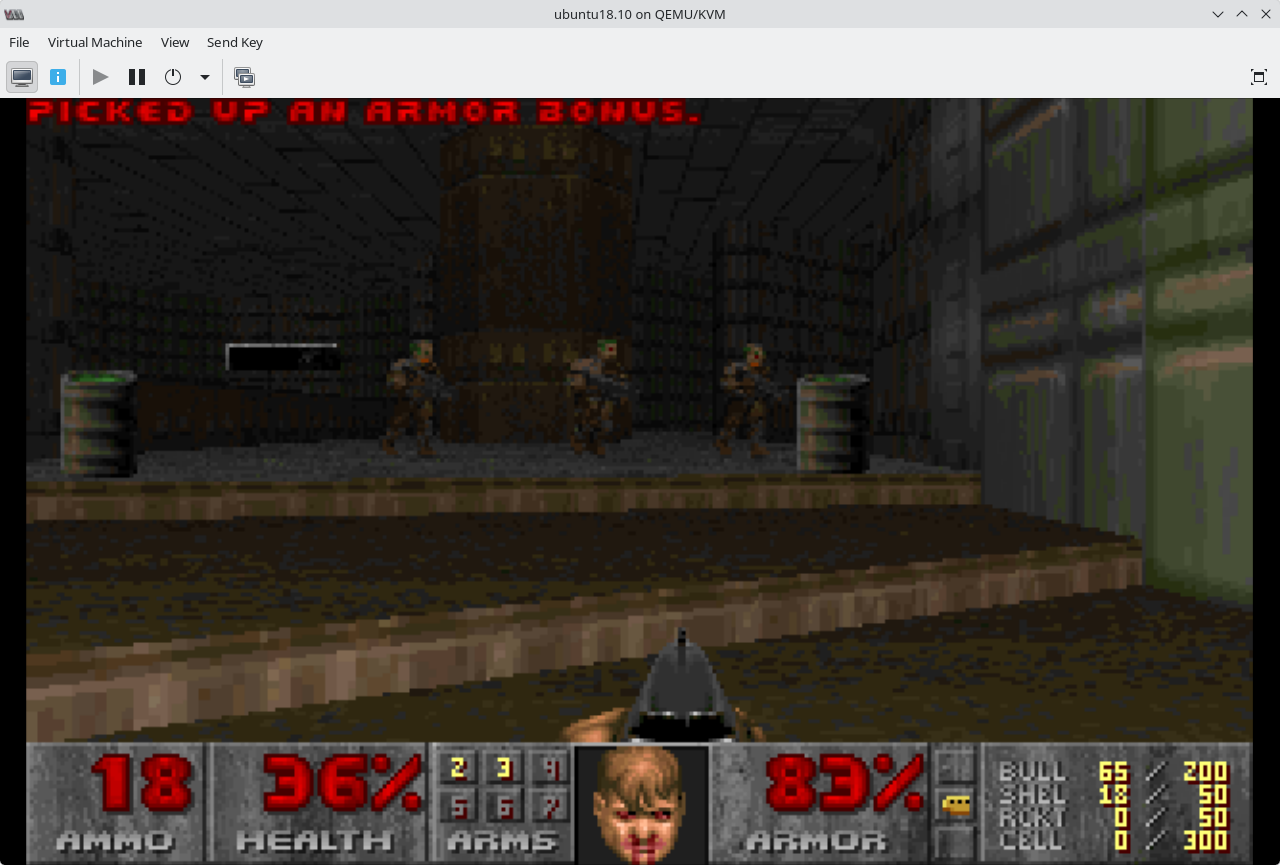
It should now be possible to run the binary. Your results may vary based on the VGA hardware. Below is a screen shot of the game running under QEMU/KVM 10.2.1 with the virtio video model.
systemctl --user restart pulseaudio
sudo PATH=. ./linuxsdoom